
CloneUp - Stack Yourself
About CloneUp - Stack Yourself
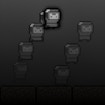
CloneUp - Stack Yourself brings a fresh twist to platform gaming with its clever clone-stacking mechanic. In this charming pixel-art adventure, you don't just jump and run—you create copies of yourself and stack them like building blocks to reach higher platforms and navigate tricky obstacles. Every level presents a new puzzle where you'll need to think carefully about where to place your clones to create the perfect stepping stones to the exit door.
The pixel-art graphics give the game a nostalgic retro feel while the gameplay remains fresh and inventive. As you progress through each stage, you'll encounter deadly traps and challenging gaps that require creative thinking. Should you stack your clones vertically to climb a tall wall? Or spread them out horizontally to cross a dangerous pit? The choice is yours, and there are often multiple ways to solve each puzzle.
What makes CloneUp special is how it turns you into your own tool for success. Instead of collecting power-ups or finding special items, your clones are everything you need. The game encourages experimentation and rewards clever thinking, making each victory feel earned and satisfying. Whether you're a puzzle fan or just love platformers with a unique twist, this self-stacking adventure offers hours of brain-teasing fun that's easy to learn but challenging to master.
How to Play CloneUp - Stack Yourself
- 1 Move your character using the arrow keys or on-screen controls.
- 2 Create clones of yourself at your current position.
- 3 Stack your clones on top of each other to build towers and platforms.
- 4 Jump onto your stacked clones to reach higher areas and avoid obstacles.
- 5 Plan your clone placement carefully to create a safe path to the exit door.
- 6 Reach the exit door in each level to move on to the next challenge.
Controls
| Arrow Keys | Move your character left, right, and jump |
| Spacebar / Action Button | Create a clone at your current position |
| Mouse / Tap | Navigate menus and interact with buttons |
Tips & Tricks
- ✓ Plan your clone placement before creating them, since each level may limit how many you can make.
- ✓ Stack clones vertically under high platforms to create climbing towers.
- ✓ Use clones to fill dangerous gaps and create safe walkways across spikes or pits.
- ✓ Experiment with different stacking patterns if your first approach doesn't work.
- ✓ Look ahead at the entire level layout before deciding where to place your clones.
CloneUp - Stack Yourself — FAQ
How do I play CloneUp - Stack Yourself?
Is CloneUp - Stack Yourself free to play?
Can I play CloneUp - Stack Yourself on mobile?
Do I need to download CloneUp - Stack Yourself?
Is CloneUp - Stack Yourself safe for kids?
More platformer Games
 Ages 7–12
 Jelly Plop
platformer
 Ages 7–12
 Frog Adventure The Hero Journey
A platformer where players guide a frog through challenging levels, perfect for kids who enjoy jumping puzzles and exploring colorful environments.
platformer
 Ages 5–12
 One Block Puzzle
A straightforward puzzle game where you arrange falling blocks to clear lines, ideal for kids who enjoy simple logic challenges they can pick up anytime.
platformer
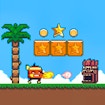 Ages 7–12
 Super Billy Boy
Super Billy Boy is a classic-style platformer where players jump through pixel worlds, avoid traps, and defeat aliens to rescue a friend, perfect for kids who enjoy games requiring timing and problem-solving skills.
platformer
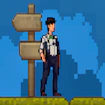 Ages 7–12
 Hand-to-Hand Boxing
A boxing-themed platformer where players fight opponents across different levels, suitable for kids who enjoy action games and combat challenges.
platformer
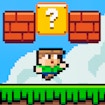 Ages 7–12
 Super Oliver World
A retro-style platformer where players guide a character named Oliver through trap-filled levels, smash blocks for rewards, and collect power-ups to defeat enemies.
platformer
 Ages 7–12
 Outline Switch
A platformer where players switch between outline and solid forms to solve puzzles and navigate obstacles, ideal for kids who enjoy creative problem-solving.
platformer
 Ages 7–12
 Mononinja
platformer
Videos for Ages 7–12
See all →
Food expiration dates don’t mean what you think - Carolyn Beans
TED-Ed
This video helps kids understand that expiration dates reflect peak freshness rather than food safety, and shows how misinterpreting these labels contributes to significant waste globally.

Have you ever had an imaginary friend? Watch this
TED-Ed
This video explains the psychology of why children create imaginary friends and how pretend play builds real cognitive skills like creativity and emotional processing.

The Colours and Lights of Diwali 🪔 | Learn to Read | Alphablocks
Alphablocks
This phonics-focused episode introduces young learners to reading through Diwali's colors and lights, making it ideal for ages 4-7 who are building early literacy skills.

Alphablocks - Letter Teams | Level 3 Yellow - S1 E10 'Sail'
Alphablocks
This episode teaches early readers how letter pairs like "ai" work together to create single sounds, a foundational skill for decoding words independently.
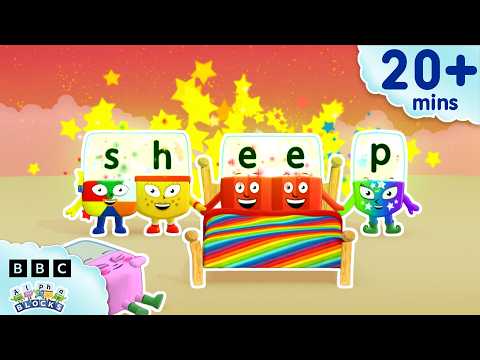
'EE' and More Long Vowels | Learn to Read and Spell for Kids Compilation | Alphablocks
Alphablocks
This video teaches early readers how to recognize and spell long vowel patterns like 'ee' and 'oo' through animated character demonstrations, making phonics practice engaging for children learning to read.

Words Beginning with K | Learn to Read and Spell for Kids | Alphablocks #shorts
Alphablocks
This phonics-based short teaches early readers to recognize and spell words starting with K through animated letter characters and repetition.
Comments
Loading comments…