
Dr. Parking

About Dr. Parking
Dr. Parking puts you behind the wheel for the ultimate parking challenge. This driving simulation tests your precision and patience as you navigate through increasingly difficult parking scenarios. Each level presents a new obstacle course of tight spaces, tricky angles, and challenging maneuvers that will put your driving skills to the test.
The game starts simple but quickly ramps up the difficulty. You'll need to master steering, speed control, and spatial awareness to slide your vehicle into the designated parking spot without bumping into obstacles or other cars. Every level rewards careful planning and smooth execution, teaching you to think like a real driver.
What makes Dr. Parking so engaging is how it turns an everyday task into an exciting puzzle. The satisfaction of nailing a perfect parallel park or squeezing into a seemingly impossible spot keeps you coming back for more. Whether you're practicing for real-world driving or just enjoy a good challenge, this game delivers hours of focused fun.
With multiple vehicles to control and diverse parking situations to conquer, Dr. Parking offers plenty of variety. The intuitive controls make it easy to jump in, but mastering every level takes practice, patience, and precise timing. Are you ready to become a parking expert?
How to Play Dr. Parking
- 1 Choose your level and vehicle to begin the parking challenge.
- 2 Use the controls to steer your car carefully through the parking lot.
- 3 Navigate around obstacles and other parked vehicles without hitting them.
- 4 Line up your car with the marked parking space.
- 5 Park your vehicle perfectly within the designated spot to complete the level.
- 6 Advance to the next challenge with tougher parking scenarios.
Controls
| Arrow Keys | Steer your vehicle left, right, forward, and backward |
| Mouse / Tap | Use on-screen controls to navigate and park |
Tips & Tricks
- ✓ Take your time and approach each parking spot slowly to avoid collisions.
- ✓ Use small steering adjustments instead of sharp turns for better control.
- ✓ Check your angles from different positions before committing to a parking move.
- ✓ Practice makes perfect - replay levels to improve your parking time and accuracy.
- ✓ Watch your mirrors and surroundings to avoid hitting obstacles on all sides.
Dr. Parking — FAQ
How do I play Dr. Parking?
Is Dr. Parking free to play?
Can I play Dr. Parking on mobile?
Do I need to download Dr. Parking?
Is Dr. Parking safe for kids?
More simulation Games
 Ages 7–12
 Cooking Empire
This cooking management game lets players run their own restaurant by preparing meals, serving customers, and expanding their business, appealing to kids who enjoy strategy and time-management challenges.
simulation
 Ages 7–12
 Body Drop 3D
Your child drops ragdoll characters to watch them tumble and break apart in this slapstick physics game that rewards creative problem-solving.
simulation
 Ages 7–12
 Bus Driver Simulator 3D
Your child drives a virtual bus through realistic city routes with traffic and weather challenges, perfect for kids who enjoy driving games and want a more relaxed pace than typical racing games.
simulation
 Ages 7–12
 Car Parking Simulator 2
simulation
 Ages 7–12
 Pranker Simulator
simulation
 Ages 7–12
 Cooking Clash
simulation
 Ages 7–12
 Steal a Fish
simulation
 Ages 7–12
 Solariancer
simulation
Videos for Ages 7–12
See all →
Food expiration dates don’t mean what you think - Carolyn Beans
TED-Ed
This video helps kids understand that expiration dates reflect peak freshness rather than food safety, and shows how misinterpreting these labels contributes to significant waste globally.

Have you ever had an imaginary friend? Watch this
TED-Ed
This video explains the psychology of why children create imaginary friends and how pretend play builds real cognitive skills like creativity and emotional processing.

The Colours and Lights of Diwali 🪔 | Learn to Read | Alphablocks
Alphablocks
This phonics-focused episode introduces young learners to reading through Diwali's colors and lights, making it ideal for ages 4-7 who are building early literacy skills.

Alphablocks - Letter Teams | Level 3 Yellow - S1 E10 'Sail'
Alphablocks
This episode teaches early readers how letter pairs like "ai" work together to create single sounds, a foundational skill for decoding words independently.
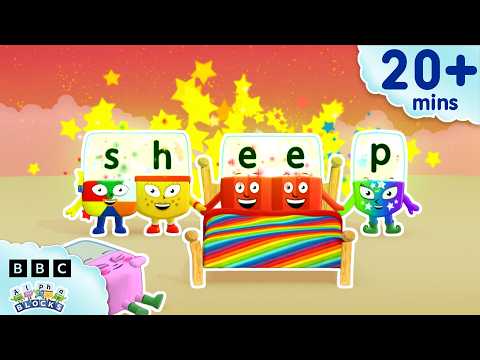
'EE' and More Long Vowels | Learn to Read and Spell for Kids Compilation | Alphablocks
Alphablocks
This video teaches early readers how to recognize and spell long vowel patterns like 'ee' and 'oo' through animated character demonstrations, making phonics practice engaging for children learning to read.

Words Beginning with K | Learn to Read and Spell for Kids | Alphablocks #shorts
Alphablocks
This phonics-based short teaches early readers to recognize and spell words starting with K through animated letter characters and repetition.
Comments
Loading comments…