
Moto Maniac 2
About Moto Maniac 2
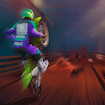
Moto Maniac 2 puts you on a motorcycle racing across an unfinished bridge high above the ground. The twist? It's nighttime, and your only light comes from a helpful drone flying alongside you. This isn't just about speed—you'll need careful balance and quick thinking to make it to the other side without crashing.
The bridge construction site is full of challenges. You'll encounter gaps, ramps, obstacles, and uneven surfaces that can throw you off balance in an instant. The darkness adds extra danger, making every jump and landing more intense. Your drone companion illuminates the path ahead, but you'll still need sharp reflexes to react to what's coming.
What makes this game exciting is how it combines speed with precision. Go too fast and you might lose control on a tricky section. Go too slow and you might not clear a jump. Finding the right balance between caution and confidence is the key to success. Each attempt teaches you something new about the course, helping you improve your strategy.
Whether you're a fan of motorcycle games or enjoy challenging obstacle courses, Moto Maniac 2 delivers thrilling gameplay that keeps you coming back. The combination of night racing, construction hazards, and balance mechanics creates a unique experience that's easy to learn but tough to master.
How to Play Moto Maniac 2
- 1 Use the arrow keys or on-screen controls to accelerate, brake, and tilt your motorcycle.
- 2 Keep your bike balanced as you ride across the unfinished bridge sections.
- 3 Watch for gaps, obstacles, and uneven surfaces lit up by your drone.
- 4 Adjust your speed before jumps to land safely on the other side.
- 5 Use tilt controls to prevent your rider from flipping over.
- 6 Reach the finish line at the end of the bridge to complete the level.
Controls
| Up Arrow / W | Accelerate forward |
| Down Arrow / S | Brake or reverse |
| Left Arrow / A | Tilt backward |
| Right Arrow / D | Tilt forward |
Tips & Tricks
- ✓ Slow down before reaching big gaps or steep ramps to maintain better control.
- ✓ Use the tilt controls constantly to keep your rider balanced on uneven surfaces.
- ✓ Watch the drone's light ahead to spot upcoming obstacles early.
- ✓ Don't accelerate too much in the air or you might flip over when landing.
- ✓ Practice the tricky sections multiple times to learn the best approach.
Moto Maniac 2 — FAQ
How do I play Moto Maniac 2?
Is Moto Maniac 2 free to play?
Can I play Moto Maniac 2 on mobile?
Do I need to download Moto Maniac 2?
Is Moto Maniac 2 safe for kids?
More sports Games
 Ages 7–12
 Birdie Bounce
This arcade golf game challenges kids to bounce a ball across platforms to reach each hole, with simple controls and increasingly tricky puzzles that reward skillful play.
sports
 Ages 7–12
 Batting Kings
sports
 Ages 7–12
 Bike Stunt Game
sports
 Ages 7–12
 Penalty Kick Wiz
This soccer penalty shootout game challenges kids to time their shots and reads perfectly while competing against opponents, building quick decision-making skills.
sports
 Ages 7–12
 Battle of the Minds
sports
 Ages 7–12
 Smash Tennis
A fast-paced tennis game where players hit balls across the court to score points, perfect for kids who enjoy competitive sports action.
sports
 Ages 7–12
 Ultimate Flying Car
A fast-paced racing game where kids drive cars that can fly through cities and compete against friends online, best for kids who enjoy speed and action games.
sports
 Ages 6–12
 Whimsy Workshop Easy
Players use physics and timing to launch balls into target boxes, making it ideal for kids who enjoy hands-on problem-solving and casual sports challenges.
sports
Videos for Ages 7–12
See all →
Food expiration dates don’t mean what you think - Carolyn Beans
TED-Ed
This video helps kids understand that expiration dates reflect peak freshness rather than food safety, and shows how misinterpreting these labels contributes to significant waste globally.

Have you ever had an imaginary friend? Watch this
TED-Ed
This video explains the psychology of why children create imaginary friends and how pretend play builds real cognitive skills like creativity and emotional processing.

The Colours and Lights of Diwali 🪔 | Learn to Read | Alphablocks
Alphablocks
This phonics-focused episode introduces young learners to reading through Diwali's colors and lights, making it ideal for ages 4-7 who are building early literacy skills.

Alphablocks - Letter Teams | Level 3 Yellow - S1 E10 'Sail'
Alphablocks
This episode teaches early readers how letter pairs like "ai" work together to create single sounds, a foundational skill for decoding words independently.
'EE' and More Long Vowels | Learn to Read and Spell for Kids Compilation | Alphablocks
Alphablocks
This video teaches early readers how to recognize and spell long vowel patterns like 'ee' and 'oo' through animated character demonstrations, making phonics practice engaging for children learning to read.

Words Beginning with K | Learn to Read and Spell for Kids | Alphablocks #shorts
Alphablocks
This phonics-based short teaches early readers to recognize and spell words starting with K through animated letter characters and repetition.
Comments
Loading comments…