
Park the Cars

About Park the Cars
Park the Cars is an exciting driving challenge that puts your precision and patience to the test. Each level presents a new parking puzzle where you'll need to carefully steer your vehicle into tight spots without hitting obstacles or other cars. The game starts simple but quickly ramps up the difficulty as spaces get tighter and the parking lots become more complex.
The vibrant, colorful graphics make every level feel fresh and inviting. You'll experience realistic driving physics that require careful control of your speed and steering. Whether you're squeezing between two vehicles or backing into a narrow space, every successful park feels like a real achievement.
What makes this game special is how it teaches real-world parking skills while keeping things fun and engaging. The simple controls mean anyone can jump in and start playing, but mastering the trickier levels takes practice and concentration. Each attempt helps you improve your spatial awareness and timing.
Perfect for players who enjoy puzzle-solving mixed with driving action, Park the Cars offers hours of engaging gameplay. The progressive difficulty ensures you're always challenged but never frustrated. With each level you complete, you'll feel your parking skills improve, making you ready to tackle even more demanding parking situations.
How to Play Park the Cars
- 1 Use the arrow keys or on-screen controls to steer your car forward and backward.
- 2 Carefully navigate through the parking lot, watching for obstacles and other vehicles.
- 3 Line up your car with the marked parking space.
- 4 Slowly drive into the space until your car is properly positioned.
- 5 Complete the park without hitting anything to advance to the next level.
- 6 Practice on earlier levels to master tighter spaces in later challenges.
Controls
| Arrow Keys / WASD | Drive forward, backward, and steer left or right |
| Mouse / Tap | Use on-screen controls on mobile devices |
Tips & Tricks
- ✓ Take your time and drive slowly to maintain better control of your car.
- ✓ Use small steering adjustments instead of sharp turns when getting close to the parking space.
- ✓ Practice reversing into spaces as it often gives you better angles in tight spots.
- ✓ Watch your car's position from all sides before committing to the final park.
- ✓ Replay earlier levels to build muscle memory for tougher parking challenges ahead.
Park the Cars — FAQ
How do I play Park the Cars?
Is Park the Cars free to play?
Can I play Park the Cars on mobile?
Do I need to download Park the Cars?
Is Park the Cars safe for kids?
More racing Games
 Ages 7–12
 Ben Car Adventure
Ben drives through obstacle courses in this arcade racing game where timing and balance are key to reaching each level's finish line.
racing
 Ages 7–12
 Moto X3M: Spooky Land
In this Halloween-themed motorcycle racing game, players perform tricks and navigate obstacle-filled tracks at high speeds, appealing to kids who enjoy action games with a spooky aesthetic.
racing
 Ages 7–12
 Go Kart Racing Game
racing
 Ages 7–12
 Police Bus Simulation
racing
 Ages 7–12
 Buggy Racing
Players control off-road buggies through three game modes—racing opponents, beating time limits, or surviving endless courses—making it ideal for kids who enjoy arcade-style racing action.
racing
 Ages 7–12
 Escape the lava
Your child rolls a ball through an obstacle course while outrunning rising lava, collecting coins and power-ups to boost their score.
racing
 Ages 7–12
 Demolition Derby Life
Players crash cars into each other in an arena to be the last one standing, upgrading their vehicles between matches.
racing
 Ages 7–12
 Endless Car Chase
Your child races through city streets to escape police, customizing their car and dodging obstacles while chasing high scores—ideal for kids who enjoy fast-paced action games.
racing
Videos for Ages 7–12
See all →
Food expiration dates don’t mean what you think - Carolyn Beans
TED-Ed
This video helps kids understand that expiration dates reflect peak freshness rather than food safety, and shows how misinterpreting these labels contributes to significant waste globally.

Have you ever had an imaginary friend? Watch this
TED-Ed
This video explains the psychology of why children create imaginary friends and how pretend play builds real cognitive skills like creativity and emotional processing.

The Colours and Lights of Diwali 🪔 | Learn to Read | Alphablocks
Alphablocks
This phonics-focused episode introduces young learners to reading through Diwali's colors and lights, making it ideal for ages 4-7 who are building early literacy skills.

Alphablocks - Letter Teams | Level 3 Yellow - S1 E10 'Sail'
Alphablocks
This episode teaches early readers how letter pairs like "ai" work together to create single sounds, a foundational skill for decoding words independently.
'EE' and More Long Vowels | Learn to Read and Spell for Kids Compilation | Alphablocks
Alphablocks
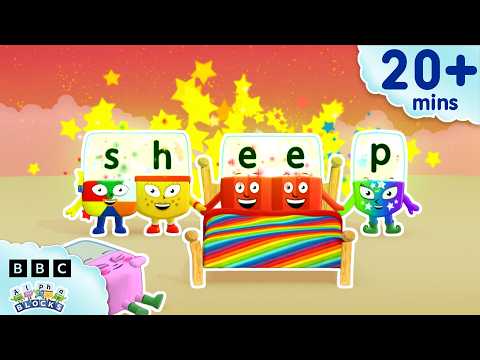
This video teaches early readers how to recognize and spell long vowel patterns like 'ee' and 'oo' through animated character demonstrations, making phonics practice engaging for children learning to read.

Words Beginning with K | Learn to Read and Spell for Kids | Alphablocks #shorts
Alphablocks
This phonics-based short teaches early readers to recognize and spell words starting with K through animated letter characters and repetition.
Comments
Loading comments…