
Perimeter - Legate Edition
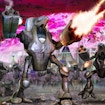
About Perimeter - Legate Edition
Perimeter - Legate Edition puts you in charge of the Exodus civilization, where your mission is to guide your people through challenging territory battles. Unlike typical strategy games, this one lets you change the battlefield itself through terraforming. You can raise or lower ground, create defensive walls, and reshape the environment to gain an advantage over your opponents.
The game revolves around building strong defensive perimeters to protect your base while expanding your territory. You'll need to think carefully about where to place your structures and how to use the land around you. The dynamic environment means every battle feels different, as you constantly adapt to new situations and challenges.
As the leader of the Exodus civilization, you'll command forces, gather resources, and make strategic decisions that determine whether your people survive or fall. The terraforming system adds an extra layer of strategy, letting you create chokepoints, flatten areas for building, or raise barriers to block enemy advances. It's a fresh take on real-time strategy that rewards creative thinking and careful planning. Whether you're defending your base or pushing into enemy territory, you'll need to use every tool at your disposal to claim victory and secure the future of your civilization.
How to Play Perimeter - Legate Edition
- 1 Start by building your base and establishing a defensive perimeter to protect your civilization.
- 2 Use terraforming tools to reshape the battlefield by raising or lowering terrain to your advantage.
- 3 Gather resources and construct buildings to expand your territory and strengthen your forces.
- 4 Command your units strategically to defend your perimeter and attack enemy positions.
- 5 Adapt your tactics as the environment changes and work to outmaneuver your opponents.
- 6 Secure key territories and lead your people to victory through smart planning and quick decisions.
Controls
| Mouse | Select units, build structures, and issue commands |
| Left Click | Select and interact with game elements |
| Right Click | Move units and set waypoints |
| Keyboard Hotkeys | Quick access to building and unit commands |
Tips & Tricks
- ✓ Always maintain a strong defensive perimeter before expanding to new territories.
- ✓ Use terraforming to create natural barriers that slow down enemy attacks.
- ✓ Balance resource gathering with base expansion to keep your civilization growing.
- ✓ Flatten ground near your base to make room for more defensive structures.
- ✓ Adapt your strategy based on how the battlefield changes during combat.
Perimeter - Legate Edition — FAQ
How do I play Perimeter - Legate Edition?
Is Perimeter - Legate Edition free to play?
Can I play Perimeter - Legate Edition on mobile?
Do I need to download Perimeter - Legate Edition?
Is Perimeter - Legate Edition safe for kids?
More strategy Games
 Ages 8–12
 Conquest
Conquest is a strategy game where players build armies, claim territory, and compete against others, perfect for fans of tactical challenges who enjoy planning multiple moves ahead.
strategy
 Ages 8–12
 Eerie Tower Defense
A spooky strategy game where you place defensive towers to stop waves of creepy creatures from reaching your base, perfect for kids who enjoy planning and problem-solving.
strategy
 Ages 8–12
 Stickman Simulator Final Battle
This strategy game lets kids command armies of stickmen, plan battle formations, and manage resources to win escalating combat challenges.
strategy
 Ages 8–12
 Babel Tower
A strategy game where players gather materials and build upward through careful planning and upgrades, suitable for kids who enjoy puzzle-solving and watching their progress grow over time.
strategy
 Ages 8–12
 WW1 Battle Simulator
This strategy game lets players command historical World War 1 troops in real-time battles, requiring tactical decisions about unit placement and resource management to defeat opponents.
strategy
 Ages 8–12
 Office Knight 3D Castle Defense
A tower defense game where you protect a castle from invaders by strategically placing and upgrading defensive units, best for kids who enjoy planning and tactical puzzles.
strategy
 Ages 8–12
 Guardian Elemental Merge
A strategy game where players combine elemental creatures to build stronger teams and battle opponents, perfect for kids who enjoy puzzle-solving and tactical thinking.
strategy
 Ages 8–12
 Tower Crush
Tower Crush is a strategy game where players build defensive towers, equip them with weapons, and battle opponents in real-time combat scenarios.
strategy
Videos for Ages 8–12
See all →
Food expiration dates don’t mean what you think - Carolyn Beans
TED-Ed
This video helps kids understand that expiration dates reflect peak freshness rather than food safety, and shows how misinterpreting these labels contributes to significant waste globally.

Have you ever had an imaginary friend? Watch this
TED-Ed
This video explains the psychology of why children create imaginary friends and how pretend play builds real cognitive skills like creativity and emotional processing.

My First Fractions | Learn to Count for Kids Compilation | Number Cartoon | Numberblocks
Numberblocks
This video introduces young children to foundational fraction concepts like halves through animated storytelling, helping 5-8 year-olds build early math understanding alongside counting skills.

Fish and Chips and Vinegar - The Kiboomers Camp Song for Kids - Sing-Along Songs
The Kiboomers - Kids Music Channel
This playful camp song uses repetitive, silly lyrics and a catchy tune to keep preschoolers and early elementary kids engaged while singing and moving along.

We Found the Heart of Te Fiti! 💚 #shorts #moana
Cosmic Kids Yoga
This gentle yoga session uses a beloved Moana storyline to help young children practice mindfulness and emotional regulation through imaginative movement.

Kids Yoga for Beginners 🌈 Easy Yoga Poses Kids Can Do at Home | Cosmic Kids Yoga
Cosmic Kids Yoga
This video teaches simple, foundational yoga poses that help young children develop body awareness, flexibility, and focus through playful, step-by-step instruction suitable for home or classroom use.
Comments
Loading comments…