
Battle Simulator - Police Prison
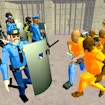
About Battle Simulator - Police Prison
Battle Simulator - Police Prison puts you in charge of a skilled police squad navigating dangerous prison escape scenarios. Your mission is to lead your officers through complex prison layouts while preventing inmates from breaking free. Each level presents a new tactical challenge where careful planning and smart strategy make all the difference.
Every officer in your squad brings unique abilities to the table, and learning how to use them together is key to success. You'll need to think several steps ahead, position your team wisely, and react quickly when situations change. The game combines puzzle-solving with action as you face increasingly clever inmates who will test your tactical skills at every turn.
The immersive prison environments and high-stakes scenarios create an exciting atmosphere that keeps the tension high. Whether you're blocking escape routes, securing key areas, or coordinating complex team maneuvers, every decision matters. The challenge ramps up as you progress, introducing new obstacles and smarter opponents that require fresh strategies.
Perfect for players who enjoy tactical thinking and action-packed gameplay, Battle Simulator - Police Prison offers hours of engaging missions. The satisfying combination of planning and execution makes each successful operation feel like a real victory. Can you outsmart the inmates and lead your squad to success?
How to Play Battle Simulator - Police Prison
- 1 Select your police officers and review their special skills before each mission.
- 2 Study the prison layout and plan where to position each squad member.
- 3 Move your officers strategically to block escape routes and control key areas.
- 4 Use each officer's unique abilities at the right moment to counter inmate actions.
- 5 Maintain formation and adjust your tactics as the situation changes.
- 6 Complete the mission by securing all inmates and preventing any escapes.
Controls
| Mouse / Tap | Select and move officers, activate abilities |
| Left Click / Tap | Choose positions and confirm actions |
Tips & Tricks
- ✓ Study each officer's unique skills before the mission starts to plan the best team combinations.
- ✓ Always cover multiple escape routes to prevent inmates from slipping past your defenses.
- ✓ Save special abilities for critical moments when regular tactics won't work.
- ✓ Keep your squad in formation to maintain control over larger prison areas.
- ✓ Watch inmate movement patterns to predict their next moves and counter them early.
Battle Simulator - Police Prison — FAQ
How do I play Battle Simulator - Police Prison?
Is Battle Simulator - Police Prison free to play?
Can I play Battle Simulator - Police Prison on mobile?
Do I need to download Battle Simulator - Police Prison?
Is Battle Simulator - Police Prison safe for kids?
More action Games
 Ages 7–12
 Closed City
This action game tasks players with navigating a mysterious locked-down urban environment, ideal for older kids who enjoy exploration and puzzle-solving challenges.
action
 Ages 7–12
 Car Parking Simulator 3
action
 Ages 7–12
 Crime Wars San Andreas
action
 Ages 7–12
 Melon Sandbox Online
action
 Ages 7–12
 Neck Stack Rush
action
 Ages 7–12
 LabBuster
LabBuster is an action game where players navigate through laboratory levels, solve puzzles, and overcome obstacles—ideal for kids who enjoy fast-paced gameplay and problem-solving challenges.
action
 Ages 7–12
 THE SURVIVAL ALLIENS
A tactical action game where you defend Earth against alien invaders using aircraft and special powers, suitable for players who enjoy intense combat challenges.
action
 Ages 7–12
 SliceStorm
action
Videos for Ages 7–12
See all →
Work It Out Wombats! FULL EPISODE | Sticky Monster Storytime | PBS KIDS
PBS KIDS
This episode shows young children how collaborative problem-solving and creative thinking help characters work through challenges, making it ideal for preschoolers learning social skills.

Food expiration dates don’t mean what you think - Carolyn Beans
TED-Ed
This video helps kids understand that expiration dates reflect peak freshness rather than food safety, and shows how misinterpreting these labels contributes to significant waste globally.

Have you ever had an imaginary friend? Watch this
TED-Ed
This video explains the psychology of why children create imaginary friends and how pretend play builds real cognitive skills like creativity and emotional processing.

The Colours and Lights of Diwali 🪔 | Learn to Read | Alphablocks
Alphablocks
This phonics-focused episode introduces young learners to reading through Diwali's colors and lights, making it ideal for ages 4-7 who are building early literacy skills.
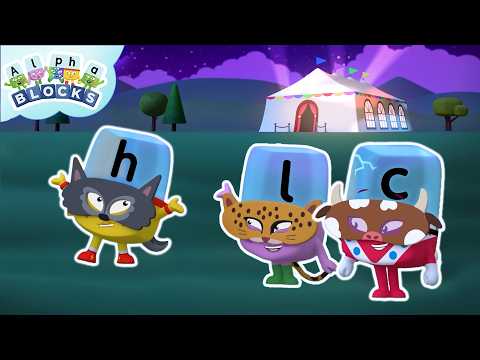
Explore the Funfair! | Learn to Read and Spell for Kids Compilation | Alphablocks
Alphablocks
This compilation uses a fun fair setting to help early readers practice spelling and phonics through active storytelling, making letter sounds and word formation engaging for preschoolers and early elementary learners.

Let's Sing the Alphabet Song | Learn to Read and Spell for Kids Compilation | Alphablocks
Alphablocks
This animated compilation introduces young children to letter names and sequencing through song, making alphabet learning engaging and memorable for ages 3-6.
Comments
Loading comments…