
Retro Basketball

About Retro Basketball
Step onto the court and experience the thrill of classic basketball with a charming retro twist! Retro Basketball brings back the golden age of arcade sports games with colorful pixel-art graphics that will make you feel like you're playing on a vintage console. This fast-paced shooting challenge is easy to pick up but hard to master, making it perfect for quick gaming sessions or extended practice runs.
The gameplay is simple and satisfying. Using intuitive click-and-drag controls, you'll aim your shots carefully and release at just the right moment to send the ball swishing through the net. Each successful basket adds to your score, and the game keeps track of your best performances so you can always try to beat your personal record. The retro aesthetic isn't just for show—it creates a fun, focused atmosphere that keeps you coming back for one more shot.
Whether you're a basketball fan or just love arcade-style sports games, Retro Basketball delivers pure shooting fun. The addictive gameplay loop of aiming, shooting, and scoring creates a satisfying experience that's hard to put down. Challenge yourself to improve your accuracy, develop consistent shooting technique, and watch your scores climb higher with each session. It's the perfect blend of nostalgic charm and timeless sports action.
How to Play Retro Basketball
- 1 Click and hold on the basketball to start your shot.
- 2 Drag your mouse or finger to aim toward the basket.
- 3 Release to shoot the ball at your target.
- 4 Adjust your aim and power based on how your shots land.
- 5 Keep shooting to rack up points and beat your high score.
- 6 Practice your timing to become a basketball champion.
Controls
| Mouse / Tap | Click and drag to aim, release to shoot the basketball |
Tips & Tricks
- ✓ Watch the arc of your shots to learn the right amount of power needed for each distance.
- ✓ Aim for the center of the basket for the most consistent makes.
- ✓ Take your time with each shot—accuracy matters more than speed.
- ✓ Practice from different angles to develop a feel for the drag controls.
- ✓ Keep playing to build muscle memory and improve your shooting percentage.
Retro Basketball — FAQ
How do I play Retro Basketball?
Is Retro Basketball free to play?
Can I play Retro Basketball on mobile?
Do I need to download Retro Basketball?
Is Retro Basketball safe for kids?
More sports Games
 Ages 7–12
 Birdie Bounce
This arcade golf game challenges kids to bounce a ball across platforms to reach each hole, with simple controls and increasingly tricky puzzles that reward skillful play.
sports
 Ages 7–12
 Batting Kings
sports
 Ages 7–12
 Bike Stunt Game
sports
 Ages 7–12
 Penalty Kick Wiz
This soccer penalty shootout game challenges kids to time their shots and reads perfectly while competing against opponents, building quick decision-making skills.
sports
 Ages 7–12
 Battle of the Minds
sports
 Ages 7–12
 Smash Tennis
A fast-paced tennis game where players hit balls across the court to score points, perfect for kids who enjoy competitive sports action.
sports
 Ages 7–12
 Ultimate Flying Car
A fast-paced racing game where kids drive cars that can fly through cities and compete against friends online, best for kids who enjoy speed and action games.
sports
 Ages 6–12
 Whimsy Workshop Easy
Players use physics and timing to launch balls into target boxes, making it ideal for kids who enjoy hands-on problem-solving and casual sports challenges.
sports
Videos for Ages 7–12
See all →
Food expiration dates don’t mean what you think - Carolyn Beans
TED-Ed
This video helps kids understand that expiration dates reflect peak freshness rather than food safety, and shows how misinterpreting these labels contributes to significant waste globally.

Have you ever had an imaginary friend? Watch this
TED-Ed
This video explains the psychology of why children create imaginary friends and how pretend play builds real cognitive skills like creativity and emotional processing.

The Colours and Lights of Diwali 🪔 | Learn to Read | Alphablocks
Alphablocks
This phonics-focused episode introduces young learners to reading through Diwali's colors and lights, making it ideal for ages 4-7 who are building early literacy skills.

Alphablocks - Letter Teams | Level 3 Yellow - S1 E10 'Sail'
Alphablocks
This episode teaches early readers how letter pairs like "ai" work together to create single sounds, a foundational skill for decoding words independently.
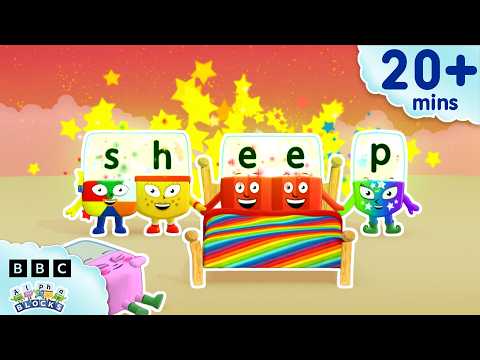
'EE' and More Long Vowels | Learn to Read and Spell for Kids Compilation | Alphablocks
Alphablocks
This video teaches early readers how to recognize and spell long vowel patterns like 'ee' and 'oo' through animated character demonstrations, making phonics practice engaging for children learning to read.

Words Beginning with K | Learn to Read and Spell for Kids | Alphablocks #shorts
Alphablocks
This phonics-based short teaches early readers to recognize and spell words starting with K through animated letter characters and repetition.
Comments
Loading comments…