
Supermarket Simulator

About Supermarket Simulator
Step into the exciting role of a supermarket manager in Supermarket Simulator! This engaging simulation game puts you in charge of running your very own store from the ground up. You'll handle everything from arranging the layout of your shop to deciding which products to stock on your shelves. Every choice you make affects how well your business performs.
The game challenges you to think like a real store owner. You'll need to watch what customers want and make sure popular items are always available. As you serve shoppers and keep them happy, you'll earn money to expand your store and add new sections. The demands change constantly, so you'll need to stay alert and adjust your plans to keep customers coming back.
What makes this game special is how it combines planning with action. You're not just watching numbers go up—you're actively organizing your store, interacting with customers, and making quick decisions when things get busy. Whether you're rearranging aisles for better flow or deciding which new products to introduce, every moment offers a new challenge. Build your retail empire one smart decision at a time and see how successful your supermarket can become!
How to Play Supermarket Simulator
- 1 Start by setting up your supermarket layout and placing shelves where customers can easily find them.
- 2 Stock your shelves with products that customers want to buy and make sure nothing runs out.
- 3 Serve customers as they come in and keep them happy with good service and product availability.
- 4 Earn money from sales and use it to buy more inventory and expand your store.
- 5 Watch customer demands and adjust what you stock to match what people want to buy.
- 6 Keep growing your business by adding new sections and improving your store layout.
Controls
| Mouse / Tap | Select items, arrange shelves, and interact with customers |
| Click / Drag | Move products and customize your store layout |
Tips & Tricks
- ✓ Keep popular items well-stocked so customers always find what they need.
- ✓ Organize your store layout so customers can move through aisles easily.
- ✓ Watch which products sell quickly and stock more of those items.
- ✓ Expand your store gradually as you earn more money from sales.
- ✓ Pay attention to customer feedback to know what they want to buy.
Supermarket Simulator — FAQ
How do I play Supermarket Simulator?
Is Supermarket Simulator free to play?
Can I play Supermarket Simulator on mobile?
Do I need to download Supermarket Simulator?
Is Supermarket Simulator safe for kids?
More simulation Games
 Ages 7–12
 Cooking Empire
This cooking management game lets players run their own restaurant by preparing meals, serving customers, and expanding their business, appealing to kids who enjoy strategy and time-management challenges.
simulation
 Ages 7–12
 Body Drop 3D
Your child drops ragdoll characters to watch them tumble and break apart in this slapstick physics game that rewards creative problem-solving.
simulation
 Ages 7–12
 Bus Driver Simulator 3D
Your child drives a virtual bus through realistic city routes with traffic and weather challenges, perfect for kids who enjoy driving games and want a more relaxed pace than typical racing games.
simulation
 Ages 7–12
 Car Parking Simulator 2
simulation
 Ages 7–12
 Pranker Simulator
simulation
 Ages 7–12
 Cooking Clash
simulation
 Ages 7–12
 Steal a Fish
simulation
 Ages 7–12
 Solariancer
simulation
Videos for Ages 7–12
See all →
Food expiration dates don’t mean what you think - Carolyn Beans
TED-Ed
This video helps kids understand that expiration dates reflect peak freshness rather than food safety, and shows how misinterpreting these labels contributes to significant waste globally.

Have you ever had an imaginary friend? Watch this
TED-Ed
This video explains the psychology of why children create imaginary friends and how pretend play builds real cognitive skills like creativity and emotional processing.

The Colours and Lights of Diwali 🪔 | Learn to Read | Alphablocks
Alphablocks
This phonics-focused episode introduces young learners to reading through Diwali's colors and lights, making it ideal for ages 4-7 who are building early literacy skills.

Alphablocks - Letter Teams | Level 3 Yellow - S1 E10 'Sail'
Alphablocks
This episode teaches early readers how letter pairs like "ai" work together to create single sounds, a foundational skill for decoding words independently.
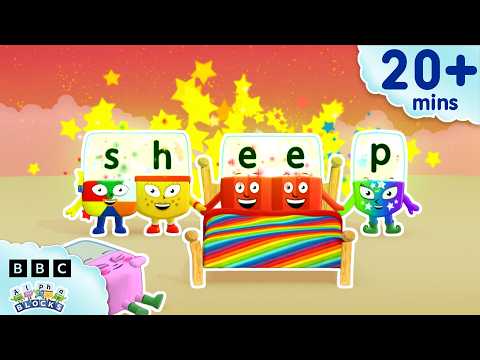
'EE' and More Long Vowels | Learn to Read and Spell for Kids Compilation | Alphablocks
Alphablocks
This video teaches early readers how to recognize and spell long vowel patterns like 'ee' and 'oo' through animated character demonstrations, making phonics practice engaging for children learning to read.

Words Beginning with K | Learn to Read and Spell for Kids | Alphablocks #shorts
Alphablocks
This phonics-based short teaches early readers to recognize and spell words starting with K through animated letter characters and repetition.
Comments
Loading comments…