
The Windows Game

About The Windows Game
The Windows Game takes the familiar look of Windows 10 and turns it into an exciting collection of activities and surprises. Instead of doing homework or browsing files, you'll use the classic desktop interface to play mini-games, create art, and discover hidden features scattered throughout the system.
Explore shooting challenges where you aim and fire at targets using Windows elements, paint and draw with digital brushes in creative modes, and test your skills in multitasking challenges that push you to juggle multiple windows at once. Every corner of this nostalgic interface hides something fun to discover, from secret sound effects to unexpected interactions that make the experience feel fresh and playful.
The game captures the authentic look and sounds of Windows 10, making it feel instantly familiar yet surprisingly entertaining. Whether you're old enough to remember using these interfaces or discovering them for the first time, the blend of nostalgia and creative gameplay creates an experience that's both relaxing and engaging. It's perfect for anyone who wants to explore, experiment, and have fun in a virtual desktop world.
How to Play The Windows Game
- 1 Start the game and explore the Windows desktop interface that appears on your screen.
- 2 Click on different icons, windows, and menu items to discover mini-games and activities.
- 3 Complete shooting challenges by aiming your mouse and clicking on targets.
- 4 Use painting tools to create colorful artwork in the paint application.
- 5 Try multitasking challenges by managing several windows at the same time.
- 6 Search for hidden features and secret sounds by clicking around the interface.
Controls
| Mouse / Tap | Click icons, windows, and menus to interact |
| Left Click | Select items and shoot targets in mini-games |
| Drag | Move windows and draw in painting activities |
Tips & Tricks
- ✓ Click every icon and menu item you see to uncover all the hidden mini-games.
- ✓ Listen carefully for special sound effects that hint at secret features.
- ✓ Practice your aim in shooting challenges by starting with slow, steady clicks.
- ✓ Experiment with all the painting tools to create the most colorful artwork.
- ✓ Keep windows organized during multitasking challenges to avoid confusion.
The Windows Game — FAQ
How do I play The Windows Game?
Is The Windows Game free to play?
Can I play The Windows Game on mobile?
Do I need to download The Windows Game?
Is The Windows Game safe for kids?
More simulation Games
 Ages 7–12
 Cooking Empire
This cooking management game lets players run their own restaurant by preparing meals, serving customers, and expanding their business, appealing to kids who enjoy strategy and time-management challenges.
simulation
 Ages 7–12
 Body Drop 3D
Your child drops ragdoll characters to watch them tumble and break apart in this slapstick physics game that rewards creative problem-solving.
simulation
 Ages 7–12
 Bus Driver Simulator 3D
Your child drives a virtual bus through realistic city routes with traffic and weather challenges, perfect for kids who enjoy driving games and want a more relaxed pace than typical racing games.
simulation
 Ages 7–12
 Car Parking Simulator 2
simulation
 Ages 7–12
 Pranker Simulator
simulation
 Ages 7–12
 Cooking Clash
simulation
 Ages 7–12
 Steal a Fish
simulation
 Ages 7–12
 Solariancer
simulation
Videos for Ages 7–12
See all →
Food expiration dates don’t mean what you think - Carolyn Beans
TED-Ed
This video helps kids understand that expiration dates reflect peak freshness rather than food safety, and shows how misinterpreting these labels contributes to significant waste globally.

Have you ever had an imaginary friend? Watch this
TED-Ed
This video explains the psychology of why children create imaginary friends and how pretend play builds real cognitive skills like creativity and emotional processing.

The Colours and Lights of Diwali 🪔 | Learn to Read | Alphablocks
Alphablocks
This phonics-focused episode introduces young learners to reading through Diwali's colors and lights, making it ideal for ages 4-7 who are building early literacy skills.

Alphablocks - Letter Teams | Level 3 Yellow - S1 E10 'Sail'
Alphablocks
This episode teaches early readers how letter pairs like "ai" work together to create single sounds, a foundational skill for decoding words independently.
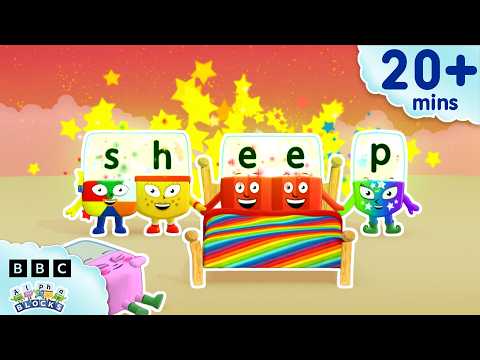
'EE' and More Long Vowels | Learn to Read and Spell for Kids Compilation | Alphablocks
Alphablocks
This video teaches early readers how to recognize and spell long vowel patterns like 'ee' and 'oo' through animated character demonstrations, making phonics practice engaging for children learning to read.

Words Beginning with K | Learn to Read and Spell for Kids | Alphablocks #shorts
Alphablocks
This phonics-based short teaches early readers to recognize and spell words starting with K through animated letter characters and repetition.
Comments
Loading comments…